
I have spent the last few years helping UK businesses automate their accounting workflows. Based on my experience, one problem comes up more than any other. Business owners waste hours every week on manual invoicing. They chase payments. They fix data entry mistakes. They struggle to stay compliant with HMRC rules. Most of them do not realise that switching to digital invoice management could solve all of these problems at once.
It does not have to be that way.
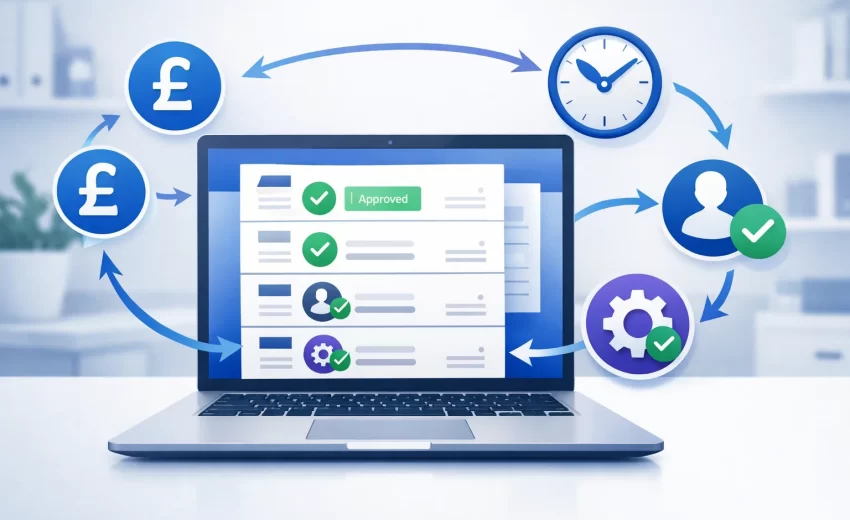
Invoice automation software can handle most of this work for you. It captures invoice data, matches purchase orders, sends payment reminders and keeps everything organised without you lifting a finger. Think of it as an automated billing system that runs in the background while you focus on growing your business.
But here is the challenge. There are dozens of tools out there. Some are built for freelancers. Others are designed for large enterprises. Picking the wrong one can cost you time and money.
I wrote this guide to help you find the right invoice automation software for your UK business. I have tested and researched these tools personally. I will walk you through what each one does, what it costs and who it works best for. Every recommendation here comes from hands on experience, not just reading feature lists.
Whether you are a sole trader sending five invoices a month or a growing company processing hundreds, this guide covers everything you need to know.
Let me start with the basics.
Table of Contents
What Is Invoice Automation Software?
Invoice automation software is a tool that handles your invoicing tasks without manual effort. Instead of creating invoices by hand, typing in data and tracking payments in spreadsheets, this type of electronic invoice processing platform does it all for you.
At its core, this type of software captures invoice details automatically. It pulls information like supplier names, amounts, dates and VAT numbers straight from the document. Then it routes the invoice through your approval workflow and posts it to your accounting system.
I think of it as putting your invoicing on autopilot.
Most modern tools use computer vision and artificial intelligence to read invoices. This means the software can process paper invoices, PDF attachments and even photos from your phone. You do not need to type a single number.
For UK businesses specifically, good invoice automation software also handles VAT calculations and supports Making Tax Digital requirements. This is essential for tax compliant invoicing because HMRC expects digital record keeping and the penalties for getting it wrong are real.
The bottom line is simple. If you are still processing invoices manually, you are spending time and money that you do not need to spend.
How Does Automated Invoice Processing Work?
Automated invoice processing follows a straightforward workflow. Understanding the invoice lifecycle management process helps you see exactly why automation saves so much time. I will break it down into the steps that happen behind the scenes.
First, the software receives your invoice. This could happen through email, a supplier portal or even a scanned document. The tool grabs the file and starts processing it immediately.
Next, data extraction kicks in. The software reads the invoice and pulls out the important details. Think invoice number, date, line items, total amount and VAT. Modern tools use AI to do this with over 95% accuracy.
After extraction, the software handles purchase order matching automatically. If you raised a purchase order, the tool checks whether the invoice matches that order. This is called two way or three way matching depending on whether it also checks delivery receipts.
Then comes the approval stage. The software routes the invoice to the right person in your team based on rules you set up. Maybe invoices under £500 get approved automatically. Maybe anything above that needs a manager to sign off. You decide the rules and the software follows them.
Finally, the approved invoice gets posted to your accounting system. Payment is either triggered automatically or queued up for your next payment run.
The whole process takes minutes instead of days. This end to end invoice automation means far fewer mistakes than when a person types everything in manually.
Invoice Automation vs Manual Processing: Key Differences
I have worked with businesses that process invoices both ways. The difference is night and day. Let me lay it out clearly so you can see what changes when you automate.
With manual processing, someone on your team receives an invoice by email or post. They open it, read through the details and type the information into your accounting software. This time consuming manual process also involves filing the original document somewhere, hopefully in the right folder. If approval is needed, they forward the email to a manager and wait. Sometimes that wait stretches into days.
With automated processing, the software captures the invoice the moment it arrives. Data extraction happens in seconds. Matching and approval follow a preset workflow. The invoice lands in your accounting system without anyone typing a thing.
Here are the key differences I have seen in practice.
Speed. Manual processing takes an average of 12 to 15 minutes per invoice. Automated processing takes under two minutes.
Accuracy. Humans make data entry errors on roughly 1 to 3% of invoices. Automation brings that below 0.5%.
Cost. Industry research suggests manual processing costs UK businesses between £5 and £15 per invoice when you factor in labour and overhead. Automation brings that down to £1 to £3.
Visibility. With manual processing, invoices get lost in email inboxes. With automation, you see every invoice and its status in a single dashboard.
Compliance. Manual record keeping creates gaps that HMRC audits can expose. Automated systems maintain a complete digital trail.
If your business handles more than 50 invoices a month, the case for automation is strong. Even below that number, the time savings alone make it worth considering.
Why UK Businesses Need Invoice Automation in 2026
The UK business landscape is shifting fast. Between new HMRC regulations, rising operational costs and tighter cash flow pressures, 2026 is shaping up to be a year where AI workflow automation matters more than ever.
I talk to business owners every week who tell me the same thing. They know they need to modernise their financial processes but they are not sure where to start. Invoice automation is one of the easiest and most impactful places to begin.
Here is why 2026 is the year to make this move.
Making Tax Digital (MTD) Compliance Requirements
If you run a UK business, Making Tax Digital is not optional anymore.. HMRC has been rolling out MTD in phases and the requirements keep expanding.
VAT registered businesses already need to keep digital records and submit returns through MTD compatible software. But here is what many business owners miss. Starting from April 2026, MTD for Income Tax self assessment kicks in for sole traders and landlords earning over £50,000. The threshold drops to £30,000 from April 2027. This affects sole traders and limited company directors across the United Kingdom.
This means more businesses than ever need digital bookkeeping systems that talk directly to HMRC.
Invoice automation software plays a critical role here. When your invoices are captured and processed digitally from start to finish, you automatically maintain the digital records that MTD demands. The software also generates compliance reporting that satisfies HMRC requirements. There is no need to retrofit your processes later or scramble before a deadline.
I have seen businesses get caught off guard by MTD requirements. They end up paying accountants extra to sort out messy records or worse, they face penalties from HMRC for non compliance.
The smart move is to get your invoicing automated now. That way, when the next MTD phase hits your business, you are already compliant without any extra effort.
The Real Cost of Manual Invoice Processing
Most business owners do not realise how expensive manual invoicing actually is. These hidden processing costs are buried in everyday tasks that feel normal but add up fast.
Let me share some numbers I have gathered from working with UK businesses.
The average UK business spends between £5 and £15 to process a single invoice manually. That includes the time spent opening emails, entering data, chasing approvals, fixing errors and filing documents.
Now multiply that by volume. If your business processes 200 invoices per month, you are spending between £1,000 and £3,000 monthly just on invoice processing. That is £12,000 to £36,000 per year on a task that software can handle for a fraction of the cost.
But the financial cost is only part of the picture.
There is the time cost. Your team members spend hours on repetitive manual data entry when they could be doing higher value work. Robotic process automation eliminates these repetitive tasks entirely. There is the error cost. A mistyped number can lead to duplicate payments, missed discounts or supplier disputes. And there is the opportunity cost. Late invoice processing often means delayed payments, which means you miss early payment discounts and damage supplier relationships.
One client I worked with discovered they were losing roughly £8,000 per year in missed early payment discounts alone. Once they automated their invoice processing, they captured those discounts consistently.
The truth is that manual invoicing is one of the most expensive hidden costs in any UK business.
7 Key Benefits of Invoice Automation for UK Companies
Based on my experience helping businesses make this switch, here are the seven biggest benefits I have seen from invoice automation.
1. Faster Processing Times
Invoices that used to take days to process now get handled in minutes. This improved payment cycle management speeds up your entire operation and keeps suppliers happy.
2. Fewer Data Entry Errors
Automated data capture eliminates the typos and miscalculations that come with manual entry. I have seen error rates drop from 3% to under 0.5% after automation.
3. Lower Processing Costs
The cost per invoice drops significantly when you remove manual labour from the equation. The data shows that most businesses save 60 to 80% on processing costs after switching to automation.
4. Better Cash Flow Visibility
You can see every invoice, its payment status and its due date through a real time financial dashboard. This cash flow optimisation gives you a much clearer picture of your overall cash position.
5. Stronger HMRC Compliance
Digital records created automatically by invoice automation software meet MTD requirements without extra work.
6. Improved Supplier Relationships
Reliable supplier payment processing builds trust with your vendors. Some suppliers even offer better terms to businesses that pay consistently and quickly.
7. Scalability Without Extra Headcount
As your business grows and invoice volume increases, automation handles the extra load. You do not need to hire additional accounts payable staff.
These benefits compound over time. The longer you use invoice automation, the more it helps streamline invoice processing across your entire business.
Invoice Automation Software Pricing Comparison Table
Here is a quick automated billing and invoicing pricing overview so you can compare each tool side by side.
| Software | Starting Price | Free Plan | Best For |
|---|---|---|---|
| Xero | £15 per month | No | UK small businesses |
| QuickBooks | £12 per month | No | Sole traders and freelancers |
| Sage Intacct | £500+ per month | No | Mid size businesses |
| FreshBooks | £12 per month | No | Service based businesses |
| BILL | £35 per user per month | No | AP automation |
| Rossum | £600+ per month | No | AI invoice capture |
| Zoho Invoice | Free | Yes | Budget conscious businesses |
| Invoice Ninja | Free (Pro from £8) | Yes | Open source flexibility |
| Tipalti | £100+ per month | No | International payments |
| HighRadius | Custom enterprise pricing | No | Large enterprises |
Pricing changes regularly so I recommend checking each vendor’s website for the latest figures.
Free vs Paid Invoice Automation: What Do You Actually Get?
I get asked this question a lot. Can free invoice automation software really do the job?
The honest answer is that it depends on your needs.
Free tools like Zoho Invoice and Invoice Ninja give you solid invoicing capabilities. You can create invoices, send them to clients, set up recurring billing and accept online payments. For a freelancer or micro business, that might be everything you need.
But free plans come with limitations.
You typically get fewer integrations with UK bank feeds and accounting platforms. Automation features like smart approval workflows, batch processing and AI data capture are usually reserved for paid plans. Customer support is often limited to community forums or email with slower response times.
Paid tools start earning their cost when your invoice volume grows. Once you process more than 50 invoices per month, the time savings from features like automatic matching and approval routing add up fast.
My recommendation is to start with a free tool if you are just getting started. Then upgrade to a paid solution when the limitations start slowing you down. Most tools offer free trials so you can test before committing.
How to Choose the Right E Invoicing Software for Your Business
Choosing e invoicing software is not just about picking the most popular option. The right tool depends on your business size, industry, budget and the specific problems you want to solve.
I have helped businesses make this decision many times. Here is the framework I use.
Key Features to Look For
Not every feature matters equally for every business. But there are a few things I always check before recommending a tool.
MTD Compliance. According to HMRC, this is non negotiable for UK businesses. Make sure the software supports Making Tax Digital for VAT and ideally for Income Tax self assessment as well.
Bank Feed Integration. The tool should connect to your UK bank accounts and pull in transactions automatically. This saves hours of manual bank reconciliation.
Automatic Data Capture. Look for OCR or AI powered data extraction that can read invoices and pull out the relevant information without manual typing.
Approval Workflows. If multiple people need to sign off on invoices, make sure the tool supports customisable approval routing.
Multi Currency Support. If you deal with international clients or suppliers, the software should handle currency conversion and foreign invoices.
Reporting and Analytics. You want automated financial reporting with visibility into your invoicing metrics. Look for dashboards that show outstanding invoices, invoice aging reports, average payment times and cash flow projections.
Integration with Existing Tools. The software should play nicely with your current accounting platform and payment processor. If you need custom CRM and ERP integration, that is something I can help with.
Questions to Ask Before You Buy
Before you sign up for any tool, I suggest asking yourself these questions.
How many invoices do I process per month? This determines whether you need a simple tool or something more robust.
Do I need accounts payable, accounts receivable or both? Some tools focus on one side. Others cover both.
What is my budget? Be honest about what you can afford monthly. Factor in per user costs if multiple team members need access.
How important is UK specific compliance? If you are VAT registered or approaching the MTD threshold, this should be a top priority.
Do I need the tool to grow with me? Choose a platform that can scale as your business expands rather than one you will outgrow in a year.
Industry Specific Considerations
Different industries have different invoicing needs. Here are a few things I have noticed.
Construction businesses need software that handles applications for payment, retention invoices and CIS deductions. Sage and Xero both have add ons for this.
Professional services firms benefit from tools that connect time tracking to invoicing. FreshBooks excels here.
Ecommerce businesses need integration with marketplaces and shipping platforms. Xero and QuickBooks both handle this well through their app marketplaces.
Businesses with international suppliers should prioritise tools like Tipalti or BILL that handle multi currency payments and cross border tax compliance.
Think about your specific industry requirements before making a decision.
How to Automate Invoicing: Step by Step Implementation Guide
Switching from manual to automated invoicing does not happen overnight. But it does not have to be complicated either. Here is the process I walk my clients through.
Step 1: Audit Your Current Invoice Workflow
Before you automate anything, you need to understand what you are automating. Map out your current invoice workflow automation needs from start to finish.
Ask yourself these questions. How do invoices arrive? Who enters the data? Who approves payments? Where do bottlenecks happen? How often do errors occur?
Write down every step. I usually ask clients to track their invoicing process for one week and note how long each step takes. This gives you a clear baseline to measure improvements against.
Most businesses discover that their process has unnecessary steps that can be eliminated entirely. Others find that the same information gets entered into multiple systems.
This audit stage is critical. Skipping it means you might automate a broken process rather than fixing it.
Step 2: Choose the Right Invoice Automation Software
Use the comparison and feature checklist from earlier in this guide to shortlist two or three tools. Then sign up for free trials and test them with real invoices.
Pay attention to how the software handles your specific invoice formats. Test the bank feed connection with your UK bank. Send a few test invoices to see how your clients experience the payment process.
I always tell people to involve the team members who will use the tool daily. Their feedback matters more than any feature list because they are the ones who will work with the software every day.
Do not rush this step. Spending an extra week choosing the right tool saves you months of frustration later.
Step 3: Set Up the Invoice Automation Process
Once you have chosen your tool, it is time to configure it properly.
Start by importing your existing client and supplier data. Most tools let you upload a CSV file with names, addresses, email addresses and payment terms.
Set up your invoice templates with your custom branding. Add your logo, company details, payment instructions and default UK VAT rates.
Configure your approval workflows. Decide which invoices need manual approval and which can be processed automatically. Set spending thresholds, assign approvers with proper user permissions and define escalation rules for overdue approvals.
Connect your bank accounts and payment gateways. Test the connections to make sure transactions flow through correctly.
Finally, set up your automated reminders and scheduled payments. Configure when payment reminders go out before and after the due date.
Step 4: Train Your Team
The best software in the world is useless if your team does not know how to use it. Take time to train everyone who will interact with the system.
I recommend running a short training session covering the daily tasks. Show people how to create invoices, process incoming invoices, approve payments and generate reports.
Create a simple reference guide with screenshots for the most common tasks. People forget training quickly but a written guide gives them something to check when they get stuck.
I have found that being patient during the first few weeks makes the biggest difference. There will be questions and the occasional mistake. That is normal. What matters is that the team feels comfortable with the new process within the first month.
Step 5: Monitor, Optimise and Scale
Automation is not a set it and forget it situation. After the first month, review your metrics.
Look at how long invoices take to process compared to your baseline. Check error rates. See how many invoices are getting stuck in approval queues.
Use the data to fine tune your workflows. Maybe your approval thresholds need adjusting. Maybe certain suppliers need different payment terms. Maybe your reminder schedule needs tweaking.
As your business grows, revisit your setup every quarter. Add new automation rules as you identify patterns. Explore advanced features that you did not need initially but might benefit from now.
The businesses I work with that get the most value from invoice automation are the ones that treat it as an ongoing improvement process rather than a one time project.
How AI Is Transforming the Invoice Automation Process
Artificial intelligence is changing invoice automation in ways that were not possible even a few years ago. I have watched this evolution closely and the improvements are genuinely impressive.
Traditional invoice automation relied on rigid templates and rules. If an invoice did not match a predefined format, the system could not process it. AI changes that completely.
AI Powered Data Extraction and OCR
Modern AI engines do not just read text on a page. They use natural language processing to understand context.
Traditional OCR would scan an invoice and extract text character by character. If the layout changed slightly, accuracy dropped. AI powered invoice scanning understands what an invoice looks like regardless of the format.
This means the system can process invoices from different suppliers with completely different layouts and still extract the right data. It recognises that a field labelled “Total Due” on one invoice means the same thing as “Amount Payable” on another.
From what I have seen, accuracy rates from current AI tools are above 95% for most standard invoices. For suppliers the system has seen before, accuracy often exceeds 99%.
This level of accuracy means fewer exceptions, less manual review and faster processing times.
Smart Matching and Approval Workflows
AI does not just extract data. It makes intelligent decisions about what to do with that data.
Smart matching goes beyond simple PO number comparison. AI can identify probable matches even when the data does not align perfectly. If an invoice total is slightly different from the PO amount due to shipping charges or currency fluctuations, the AI flags it for review rather than rejecting it outright.
Approval workflows also benefit from AI. The system learns which invoices typically get approved without issues and which ones usually require changes. Over time, it can fast track low risk invoices and prioritise high risk ones for closer review.
Some platforms even predict cash flow impacts based on incoming invoices and suggest optimal payment timing to maximise early payment discounts.
Custom AI Invoice Solutions for UK Businesses
Off the shelf AI works well for most businesses. But some companies have unique invoicing workflows that standard tools cannot handle.
This is where custom AI solutions come in. I build bespoke smart invoicing platform systems for UK businesses that need something beyond what commercial software offers.
For example, I have built custom invoice processing pipelines that integrate directly with industry specific ERP systems. These document management solutions handle complex scenarios like partial deliveries, retrospective discounts and multi stage project billing.
If your business has outgrown standard invoice automation software and you need something tailored to your exact workflow, a custom AI solution might be the right path. It costs more upfront but the long term efficiency gains can be substantial.
Frequently Asked Questions About Invoice Automation
What is the best free invoice automation software?
Based on my testing, Zoho Invoice is the best free option for UK businesses. It offers professional invoicing, recurring billing, payment reminders and online payment acceptance without charging anything. Invoice Ninja is a close second especially if you want open source flexibility and the option to self host.
How much does invoice automation software cost in the UK?
Costs range widely depending on your business size. Basic tools like QuickBooks and Xero start around £12 to £15 per month. Mid range solutions like BILL cost £35 to £55 per user per month. Enterprise platforms like Sage Intacct and HighRadius can run into thousands per month. Most businesses find a good fit between £15 and £50 per month.
Can invoice automation software handle VAT and MTD compliance?
Yes. Most major platforms including Xero, QuickBooks and Sage support UK VAT calculations and MTD for VAT submissions. They maintain digital records automatically and generate MTD compliant returns. Always confirm MTD compatibility before purchasing as some tools designed for other markets may lack this feature.
How long does it take to implement automated invoice processing?
For basic tools like Xero or QuickBooks, you can be up and running within a day or two. Mid range platforms like BILL typically take one to two weeks including configuration and training. Enterprise solutions like HighRadius or Sage Intacct can take two to six months for full implementation depending on complexity and existing system integration requirements.
Is invoice automation software secure?
Reputable invoice automation platforms use bank level encryption, two factor authentication and regular security audits. Your data is typically stored in SOC 2 compliant data centres with GDPR compliance for UK and EU users. Cloud based solutions are generally more secure than spreadsheets and email attachments because they centralise data and control access through permission settings.
What is the ROI of invoice automation?
In my experience, most UK businesses see a positive return within three to six months. The ROI comes from reduced processing costs, fewer errors, captured early payment discounts and time savings. A business processing 200 invoices per month can typically save £10,000 to £25,000 per year after accounting for the software cost. The exact figure depends on your current processing costs and the tool you choose.
Can small businesses benefit from invoice automation?
Absolutely. Small businesses often benefit the most because the time savings have a bigger impact when you have a small team. If you are currently spending several hours per week on invoicing, automation gives you those hours back to focus on growing your business. Free and low cost tools like Zoho Invoice and QuickBooks make automation accessible even on a tight budget.
What is the difference between e invoicing and invoice automation?
E invoicing refers specifically to sending and receiving invoices in a structured digital format directly between systems. Invoice automation is a broader term that covers the entire invoice lifecycle management process including capture, data extraction, matching, approval and payment. E invoicing is one component of a fully automated invoice process. Many invoice automation software platforms include e invoicing capabilities.
Which invoice automation software integrates with Xero?
Several tools on this list integrate with Xero. BILL connects directly for AP automation. Invoice Ninja syncs with Xero for invoicing data. Tipalti integrates with Xero for international payment workflows. Xero itself also has a large app marketplace with hundreds of add ons that extend its automation capabilities for specific use cases.
How does AI improve invoice automation?
AI improves invoice automation in three major ways. First, it provides intelligent data extraction that reads and understands invoices regardless of format. Second, it enables smart matching that pairs invoices with purchase orders even when data does not align perfectly. Third, it learns from your patterns and corrections to become more accurate over time. The result is faster processing, fewer errors and less manual intervention.
10 Best Invoice Automation Software for UK Businesses
I have spent considerable time evaluating invoice automation tools that work well for UK businesses. Each invoice management platform below is ranked based on features, UK compatibility, pricing and ease of use.
Each one serves a different type of business. So rather than telling you which one is objectively the best, I will help you find the one that fits your situation.
1. Xero : Best for UK Small Businesses
Xero is the most popular cloud invoicing tool among UK small businesses and for good reason. It was built with small business owners in mind and it handles invoicing extremely well.
I have recommended Xero to more UK businesses than any other tool on this list. It is intuitive, it connects with UK banks and it keeps you MTD compliant without any fussion.
2. QuickBooks : Best for Sole Traders and Freelancers
QuickBooks Online is another heavyweight in the UK market. I find it particularly well suited for sole traders, freelancers and very small businesses that want a simple invoicing setup.
The onboarding process is quick. You can be up and running within an hour even if you have never used accounting software before.
3. Sage Intacct : Best for Mid Size UK Businesses
Sage is a name that UK accountants know well. Sage Intacct is their cloud based financial management platform designed for growing and mid size businesses.
If your business has outgrown basic accounting software and you need deeper financial reporting alongside invoice automation, Sage Intacct deserves a serious look.
4. FreshBooks : Best for Service Based Businesses
FreshBooks is a tool I recommend often to consultants, agencies and service based businesses. It was designed specifically for people who bill clients for their time rather than selling physical products.
The invoicing experience is one of the cleanest I have used. Creating and sending an invoice takes less than 60 seconds.
5. BILL : Best for Accounts Payable Automation
BILL, formerly known as Bill.com, focuses heavily on accounts payable and receivable automation. If your main pain point is processing incoming invoices from suppliers, this is a strong option.
I have seen BILL work especially well for businesses that deal with high volumes of supplier invoices and need tight control over approval workflows.
6. Rossum : Best AI Powered Invoice Capture
Rossum takes a different approach to invoice automation. Instead of being a full accounting platform, it specialises in AI powered document intelligence and data extraction.
If your biggest bottleneck is getting invoice data out of documents and into your systems accurately, Rossum is purpose built for that job.
7. Zoho Invoice : Best Free Invoice Automation
Zoho Invoice is the go to option if you want solid invoice automation without paying anything. Yes, it is genuinely free.
I recommend Zoho Invoice to freelancers and micro businesses that need professional invoicing but do not want another monthly subscription eating into their profits.
8. Invoice Ninja : Best Open Source Option
The platform supports over 40 payment gateways including Stripe, PayPal and GoCardless. It handles multiple currencies including GBP and languages which works well for UK businesses with international clients.
Because it is open source, you can self host it on your own server. This gives you complete data ownership and the ability to modify the code to suit your workflow.
The Pro and Enterprise plans add features like custom email designs, approval workflows, vendor payment automation and detailed reporting.
9. Tipalti : Best for International Payments
Tipalti is built for businesses that send and receive payments across borders. If your company works with international suppliers or contractors, Tipalti handles the complexity that other tools struggle with.
I consider it a strong choice for UK businesses that have outgrown basic invoicing and need a platform that manages global payables efficiently.
10. HighRadius : Best Enterprise Invoice Automation
HighRadius is an enterprise grade platform that brings AI powered automation to every part of accounts receivable and accounts payable. If your business processes thousands of invoices monthly and needs deep ERP integration, HighRadius delivers at that scale.
I would not recommend it for small businesses. But for larger UK enterprises, it is one of the most capable tools available.
Automate Your Invoicing Today : Get Started
If you have read this far, you already know that manual invoicing is costing your business time and money. The good news is that fixing it is straightforward.
Start by identifying your biggest invoicing pain point. Is it the data entry bottleneck taking too long? Is it chasing payments? Is it staying compliant with HMRC? Once you know the problem, you can pick the tool that solves it best.
If you are a freelancer or sole trader, try Zoho Invoice or QuickBooks. They are affordable and easy to set up.
If you run a growing business and need more control, look at Xero or FreshBooks.
If you deal with complex supplier payments or international transactions, BILL or Tipalti will serve you well.
And if your business needs something beyond what off the shelf software can offer, I can help. I build custom AI automation solutions for UK businesses that need a tailored paperless invoicing solution designed around their exact workflow.
Whatever route you choose, the most important step is the first one. Pick a tool, start a free trial and see the difference automation makes in your first week.
Your future self will thank you for making this change today.

March 26, 2026
How to Integrate AI Into Your Existing Business:...

March 26, 2026